

When you’re traveling and you need to know where the next rest stop is located, sometimes you want to know in a hurry. For example, anyone who has ever taken road trips with children knows that when you hear “Where’s the next rest stop?” it may already be an emergency.
But whether you need gas, food, water, a restroom, or just a place to stretch your legs or take a cat nap, knowing how to find out where the next rest stop is along your route can be super helpful. Today we’ll show you how to find that information quickly.
What Is a Rest Stop?
By “rest stop” (or “rest area”) we’re of course referring to specific locations, most commonly found spaced periodically along interstate highways and other limited access roads, that are explicitly intended for drivers to take breaks.
Some rest stops have only a parking area and public restrooms. Others may have vending machines, too. Some even have full food courts, fuel stations, souvenir shops, and other amenities. These more fully-equipped locations are often referred to as travel plazas or service areas.
Most rest areas allow you to park for a period of time to get some sleep if you’re tired. But there are often limits on the “official” amount of time you can spend without moving along. Sometimes that’s posted on signage at the rest stop, and sometimes not.
Rest areas along state highways are usually operated and maintained by that state’s Department of Transportation (DOT). As with many other rest areas, they’re generally well-lit at night and have designated parking for larger rigs separate from cars and other smaller vehicles.
Can You Sleep at Rest Stops?
Unfortunately, there’s no one universal answer to this question. At some rest areas, it’s perfectly acceptable to pull over and get several hours of rest. At others, however, there may be regulations against spending the entire night at a rest stop. Much of this depends on what state you’re in (as in Colorado, Montana, etc… not confused or tired ????).
You may be able to catch a nap if you’re too tired to drive any further (and that’s always a smart idea), but you’ll need to observe posted rules and regulations at the site. It may not be safe to stay overnight at certain rest areas, which may be the reason behind any restriction.
So, when you arrive at a given rest stop, always look around for the signs indicating whether or not you can spend the night there and where you’re supposed to park if you do.
Most importantly, even if you’re permitted to stay overnight at a rest stop, use your “safety radar” to determine whether or not you feel safe in that location.
And if you do stay overnight where it’s permitted, be sure to be respectful of the area. Don’t litter, make noise, put your slides out, or have a cookout on the lawn.
And of course, never release gray (or black!) water on the ground. (Some rest stops have dump stations. We love those!)
Luckily (or more likely by design) rest stops are there for the purpose ofre sting. So being allowed to stay, and sleep, for a period of time is the primary reason they exist. That means finding one where you can catch up on some shuteye, day or night, isn’t especially difficult.
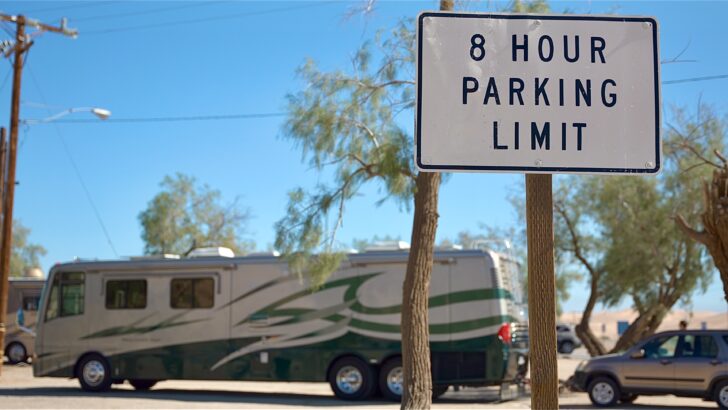
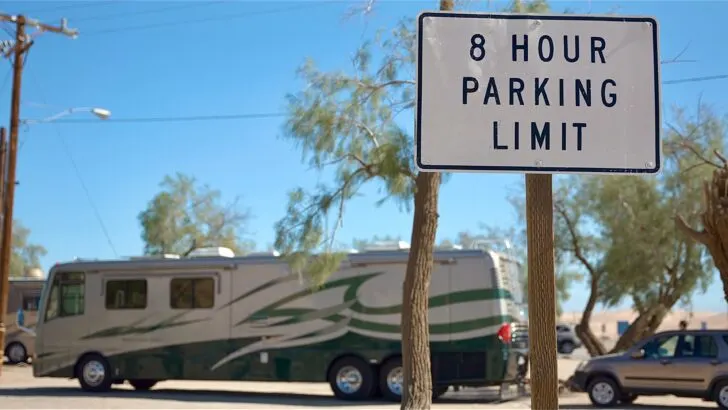
Some rest areas have time limits on how long you can stay. But since “rest stops” are primarily for RESTING, finding one that allows enough time for you to stay in shape to continue driving safely isn’t too challenging.
How Do I Find the Next Rest Stop On My Route?
In this time of virtually continuous connectivity, it should come as no surprise that there are several good options for finding the next rest stop on your travel route. Let’s take a look at several of the easiest and most effective ways to do that.
iExit App
We use this app virtually every time we travel any distance along the interstate highway system. iExit is free, and it’s extremely easy to use. You simply open the app, and it immediately knows what road you’re on… and even the direction you’re currently heading, along with a list of upcoming rest areas.
You can also search using a specific location, view exit guides by state, see the best gas prices by state, and find food and lodging along the way, too.
This is a pretty nice app, and again, super simple to use. To get a visual sense of the way it works, you can check out this video:
Google Maps
As you may know from our extensive post on RV trip planners, there are a number of excellent trip-planning apps and sites. We’ve even written a post on how to plan your trip when you’re offline.
But if you’re using Google Maps to navigate, you can also use it to search for a rest stop along your route as you’re driving (of course, we mean your co-pilot/partner/navigator can use the app while you’re driving).
Use the search feature to find rest areas. Tap the magnifying glass (search icon). If you don’t see an option listed to search rest areas, just tap the search button again, and type in “rest” and it will bring up the term “rest stops.”
Click “rest stops” to bring up all available rest areas along your route.
InterstateRestAreas.com
The Interstate Rest Areas website will show you rest areas across the United States. There are several different ways to view the information:
- Map of rest areas
- Rest areas by Interstate highway
- Rest areas by state
- Advanced search
The site will list rest stops by interstate and by state, and it’ll also show you a map of rest areas.
Rest Stops Ahead App
The Rest Stops Ahead app is a road trip planning tool that includes a rest stop finder. It has some unique features:
- Comparing crowd levels at different rest stops along your route
- A map that you can glance at to see exactly where you are along your route
- Turn-by-turn directions to your selected rest stops and destination.
The app is free to download from the iOS/Android app stores and includes a free trial period (14 days on iOS, 10 days on Android). After that, there’s a subscription fee to continue using the app: $9.99/month or $24.99/year.
Here’s a video to give you a better sense of what this app can do:
We hope this information is helpful when you need to take a break on your next road trip.
Free RVing Tips, Tricks, Reviews, Giveaways & More
Subscribe to our daily newsletter! We’ve been full-time RVers for 20 years (!) and share everything we’ve learned about RVing in our daily blog posts. Join our online community to receive a wealth of great RVing knowledge delivered right to your inbox.
Whether this is your first time on the road or you’re a seasoned full-timer, you’ll love the wide range of RVing topics we cover. Don’t miss a single article or any of our famous RV gear Giveaways — Subscribe today!
Deborah Kerr
Wednesday 14th of June 2023
Thank you! I am anxious to try out the iExit App I just placed on my smartphone! I never heard of it! It certainly will help as I am the co-pilot and I am certain the pilot thinks I have magic powers and can find out any information he needs in 1 second!! This will help :) brouhaha :)
TheRVgeeks
Wednesday 14th of June 2023
LOL! We won't spill your secret, Deborah! Have fun amazing your pilot with your incredibly fast skills and knowledge! ???? Glad we could help keep you on top of your game! LOL!
Dr. David Aronson
Monday 12th of June 2023
I was surprised to learn that Rest Stops Ahead charges a subscription fee after ten days. As best I could tell from the Play Store information (Android), it is $10/month charged annually. This is very steep given the limited capabilities of this app. It should have been mentioned in your review. Otherwise, a great article.
TheRVgeeks
Tuesday 13th of June 2023
Thanks for catching that, David... we've updated the article to reflect the subscription fees for Rest Stops Ahead ($9.99/month or $24.99/year).
Peter
Monday 12th of June 2023
Unfortunate that you do not include information for rest stops for us Canadian folks. We enjoy your site but it does not include the content needed for Canadian rv goers!
Jack Cooper
Monday 12th of June 2023
The info on rest stops is good, however, we just finished a trip from Ohio to Sedona, AZ and back. Along the way over half of the rest stops were closed or didn't exit at all. A number of them are just a parking lot without any facilities even though they were advertised as having facilities. A number of them are listed as picnic areas. All they really are is a place for trucks to park for a while with a dumpster. They could at least have a port-potty but they didn't even have that. The routes I'm talking about is I-69 to I-70 to I-44 to I-40 to I-17. Yes we can pull over and use the facilities in our TT, but having to extend the slide-out in limited parking area is not desirable.