


Technology continues to play a major role in enhancing the overall travel and camping experience for RVers. One innovation currently gaining notice in the RV world is the WFCO Power Pro Voice Activated Control system.
With voice-activated digital control of RV systems, WFCO is bringing “smart home” advances to RVs, offering our homes-on-wheels feature parity with sticks-and-bricks houses. Today, we’re covering the tech involved, what it offers, how it works, and which RVs are debuting WFCO Power Pro Voice Activated Control.
- 1) What Is the WFCO Power Pro?
- 2) Who Is WFCO Technologies?
- 3) What Key Features and Benefits Does the WFCO Power Pro Offer to RVers?
- 4) What RVs Are Equipped With the WFCO Power Pro Voice-Activated Control System?
- 5) What Do You Think of WFCO Power Pro Technology for RVers?
- 6) Free RVing Tips, Tricks, Reviews & Giveaways
What Is the WFCO Power Pro?
The WFCO Power Pro gives the RV owner voice-activated digital control of the RV’s systems and features, allowing them to communicate with their vehicles effortlessly. The goal is to bring a new level of convenience and control to life on the road.
The WFCO system is designed to streamline the operation of various RV functions through intuitive voice commands. WFCO used AI (artificial intelligence) to develop and train the system to control various RV features and devices.
So, where we would typically find ourselves manually toggling switches embedded in a control panel at a single location in the RV, the patent pending WFCO Power Pro gives RVers the ability to execute a range of commands via voice (as well as an app or through manual control if desired). It allows RVers to control features like awnings, slide-outs, levelers, and heating/cooling systems using only voice commands or via the system’s mobile app.
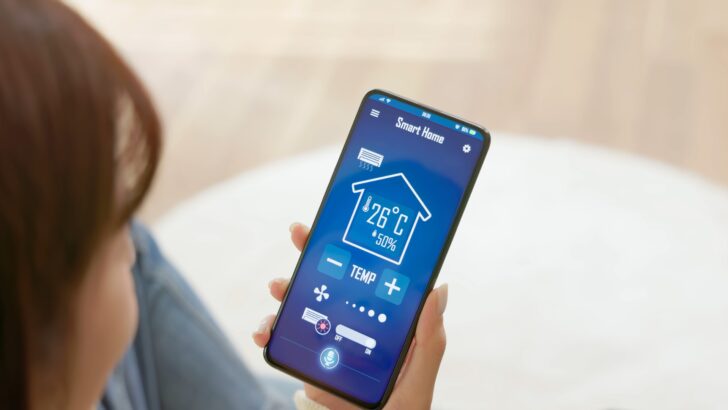
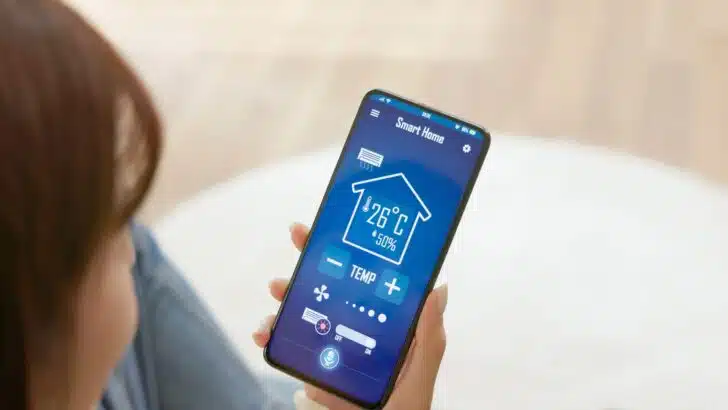
The WFCO Power Pro allows the RVer to control a variety of systems, components, and devices using voice commands, an integrated control panel, or a mobile app on a smartphone or tablet.
Who Is WFCO Technologies?
WFCO is a leader in RV power products. Known for its power centers that combine 12V DC fuses, 120V AC circuit breakers, and a converter/battery charger into a single combined unit, WFCO power conversion products are common in many makes and models of RVs, from tab trailers to Class A motorhomes.
So, WFCO has close connections with many RV manufacturers, giving them a unique opportunity to bring innovative solutions like voice-activation control to the RV industry.
What Key Features and Benefits Does the WFCO Power Pro Offer to RVers?
The WFCO voice-activated digital control system offers RVers voice or app control of a variety of features of the RV. In so doing, it brings “smart home” technology to RVs, offering travelers/campers numerous benefits.
User-Friendly Interface
The WFCO Power Pro Voice Activated Control system offers a user-friendly interface, making it easy for RV owners to use regardless of their technical ability. It’s designed to recognize natural language commands, so users don’t need to memorize specific phrases or codes.
RV System Control
From adjusting interior lighting and temperature to managing slide-outs and awnings, the voice-activated control system handles lots of typical RV functions. This allows RV owners to easily use the tech as part of their daily RV living.
The system is so “smart” that it can recognize a variety of commands. That means users aren’t forced to memorize and say only specific phrases. For example, you can say anything from “lights on” to “make it brighter in this room” and the system will understand and make it happen.
Integration with Smart Devices
The WFCO Power Pro is compatible with popular smart devices and platforms. This means RVers can control various systems in the rig via smartphones, tablets, and smart speakers.
Safety and Accessibility
The WFCO voice-activated digital control system can improve safety on the road by minimizing distractions. With hands-free operation, RV owners can focus on driving while still managing essential functions. This can be especially valuable for those with mobility challenges.


Voice-activated commands make it easier for people to control a variety of RV systems and features without needing to access a control panel.
Real-Time Feedback
WFCO notes similarities to Alexa, Siri, and Google Nest — capable of providing real-time feedback through voice responses or visual indicators. This keeps users informed about the status of their commands.
Ease of Installation For RV Manufacturers
According to WFCO, installation of the Power Pro system is simple, requiring only a few wiring connections. While that makes it an easy integration for RV manufacturers, it’s not likely a feasible retrofit job, even for DIY RVers.
The system needs to be factory installed because it integrates with the controls of so many varied components and systems. It doesn’t appear to currently be the kind of tech you’d be able to integrate with existing systems/wiring unless WFCO extends the Power Pro system to interface with other multiplex wiring systems for RVs already on the market like the Lippert OneControl, Dometic Interact, etc.
While not ready for the aftermarket at this point, the ease with which it can be installed at the factory means we’ll likely see the system included in more rigs as time goes on.
Convenience
The convenience of controlling RV functions with simple voice commands is the most obvious benefit of the WFCO voice-activated digital control system. Whether you’re settling in for the night, preparing a meal, or driving down the highway, the WFCO Power Pro can simplify RVing.
Efficiency
By eliminating the need for manual controls, the voice-activated system streamlines tasks, saving time and effort. Users can execute multiple commands in quick succession, contributing to a more efficient and enjoyable RV experience.
What RVs Are Equipped With the WFCO Power Pro Voice-Activated Control System?
As of this writing, the WFCO Power Pro is some pretty new technology, and the system is currently premiering only in the Ibex/NoBo RV Suite product line.
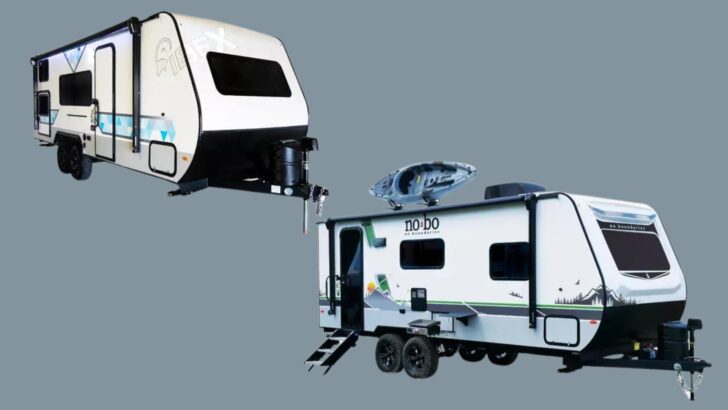
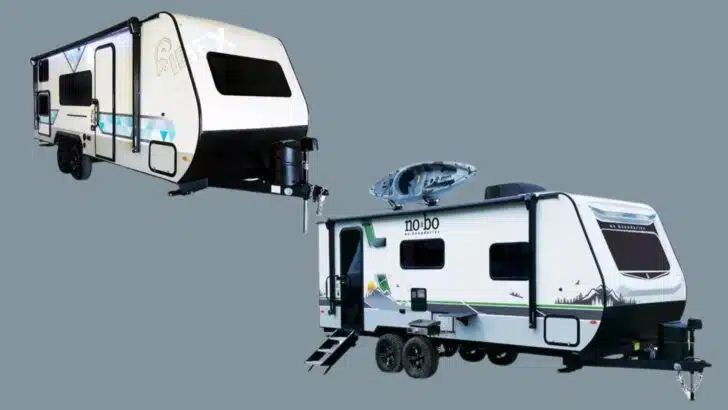
Currently, the WFCO Power Pro Voice Activated Control system is only available in Forest River’s Ibex and NoBo (No Boundaries) Suite of travel trailers. (Photo source: Forest River)
Cody Schade, Forest River’s Ibex/NoBo product manager stated that their goal in offering the WFCO Power Pro system is to give consumers maximum control of their travel trailer while also taking their camping experience to a new level.
What Do You Think of WFCO Power Pro Technology for RVers?
RV enthusiasts who appreciate leading-edge technology might find the WFCO Power Pro system to be a welcome addition to their mobile lifestyle. The integration of voice control adds a modern, tech-savvy appeal to RVs, aligning them with advancements in smart homes and other vehicles.
Is this tech that would interest you as an RVer? Leave a comment below with your thoughts on voice-activated control for RVs.
Free RVing Tips, Tricks, Reviews & Giveaways
As 20-year full-timers, we share everything we’ve learned about RVing over the years. Join our online community to receive a wealth of great RVing knowledge delivered daily to your inbox.
Whether you’re a new RVer or a seasoned full-timer, you’ll love the wide range of RVing topics we cover. Don’t miss a single article or any of our famous Giveaways. Subscribe to our newsletter today!